ExoAssist
Industrial Exoskeleton Assistance System
UX Designer & Researcher
Mar 2025 — Dec 2025
Industrial Tablet / Mobile


Industrial exoskeletons improve worker safety, but their complexity creates adoption barriers. Workers must learn precise donning sequences — fastening points, battery insertion, support adjustments — and traditional paper manuals just don't cut it for hands-on learning. In-person training isn't scalable either, especially across multiple worksites.
ExoAssist guides first-time users through putting on industrial exoskeletons independently. It combines multiple instruction formats — interactive video, step-by-step picture guides, and an AI chatbot — to support users with no prior experience. Core content works offline and supports English/German localization, with speech input for hands-free use while handling equipment.
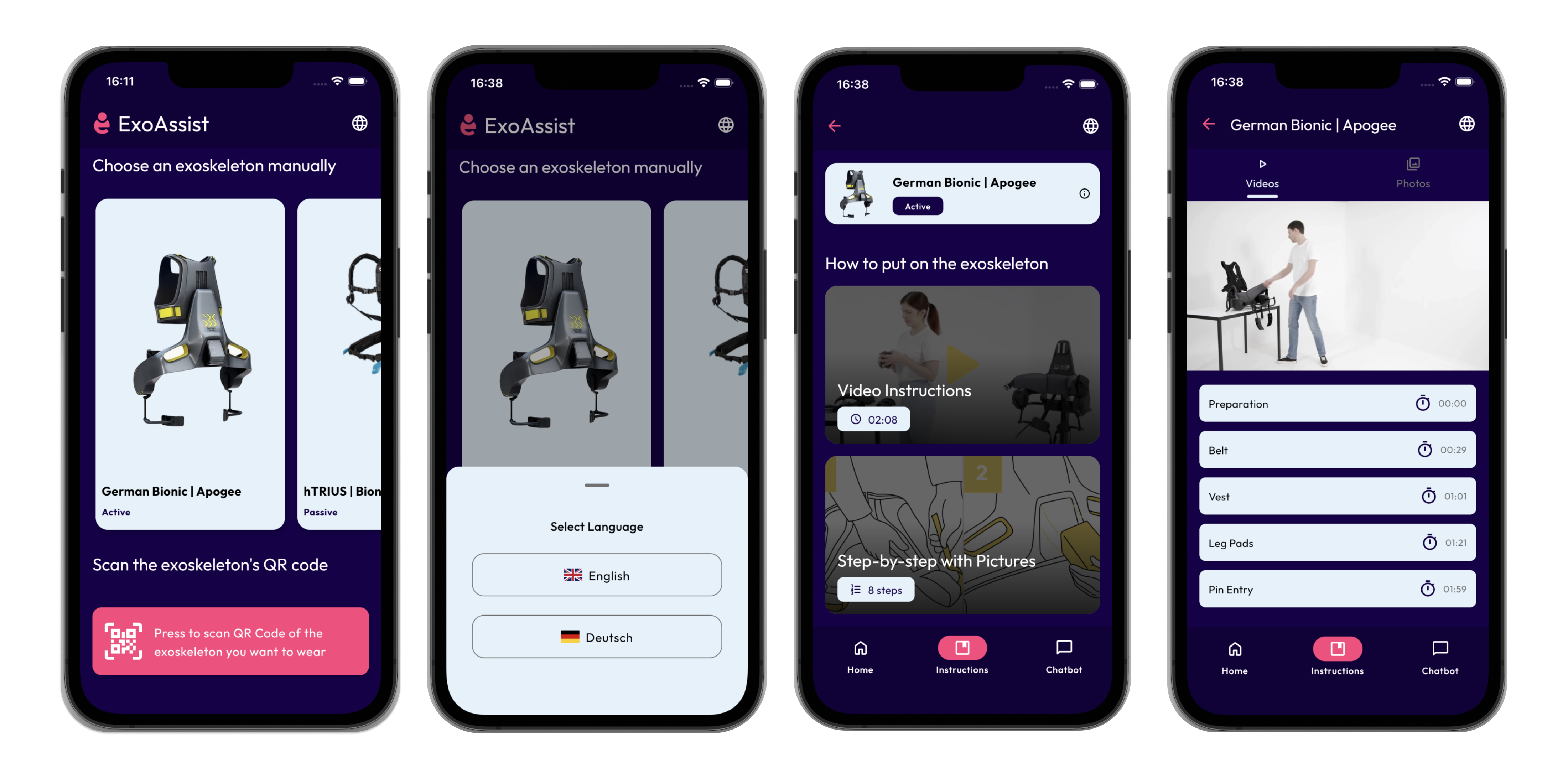
My role centered around research and UI refinement. To truly understand the domain, I attended a hands-on training session with an exoskeleton expert to learn how to properly don the devices and how their mechanisms work.
I collaborated closely in design and development meetings with the lead UX designer and developer and our project supervisor. I focused on iterating existing designs, improving usability, and even contributed directly to the codebase to bring these refined interactions to life.
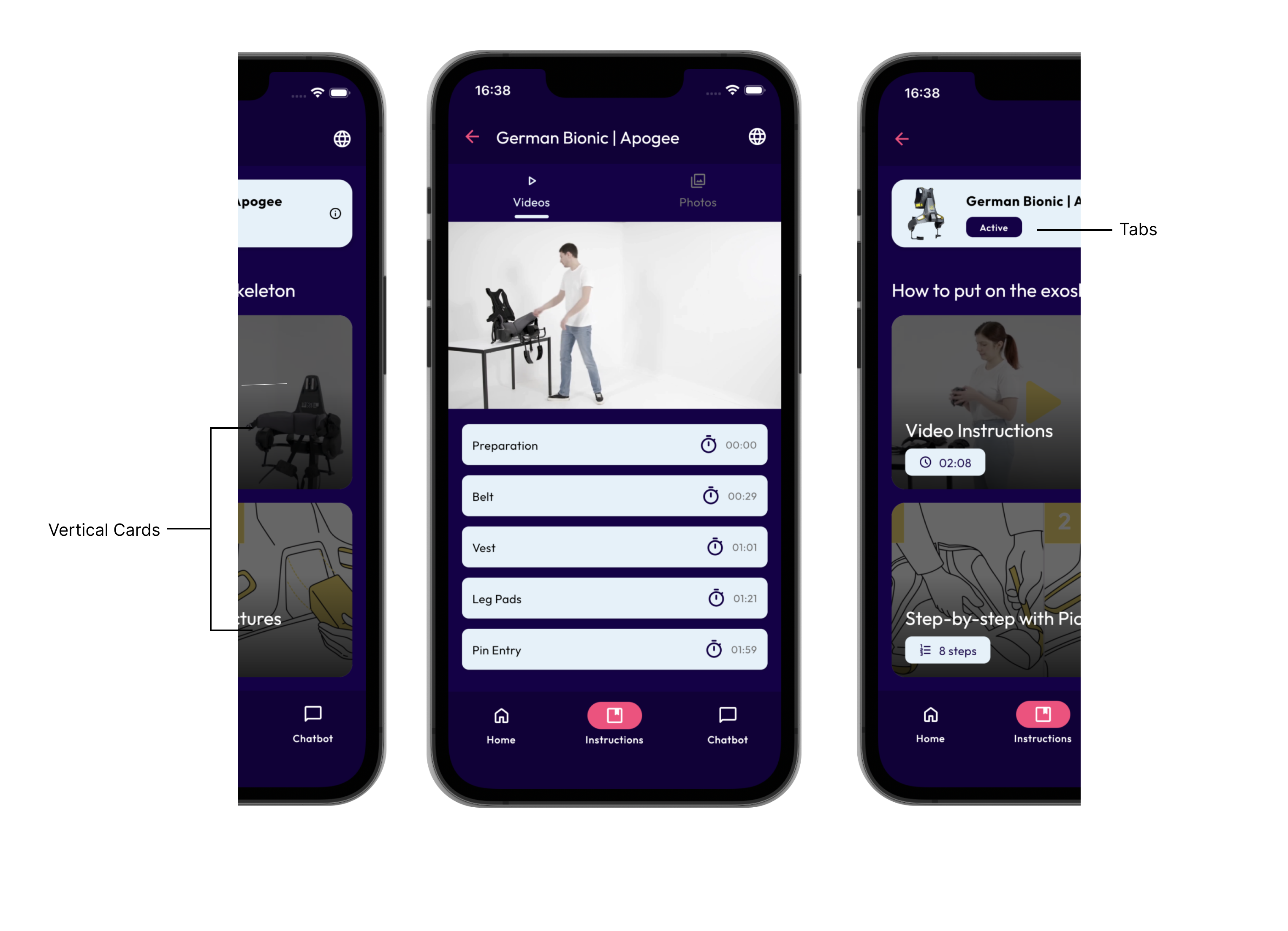
One of the design challenges was determining the best way to display the "choose instruction format" screen. We needed a layout that allowed users to choose between video and step-by-step formats without introducing navigation friction.
Vertical Cards
Pros: Symmetrical, easy scanning, and highly familiar layout.
Cons: Users have to navigate back to switch formats, adding friction.
Tabs
Pros: Easy switching with one less click for quicker access.
Cons: Default selection bias based on which tab loads first.
The Combined Approach
Instead of choosing just one, I proposed a hybrid solution: Start with vertical cards for an unbiased, intuitive selection process. Once a format is selected, offer in-screen format switching using tabs/toggles so users can easily jump between video and audio without hitting "Back". A back button remains available for layout familiarity.
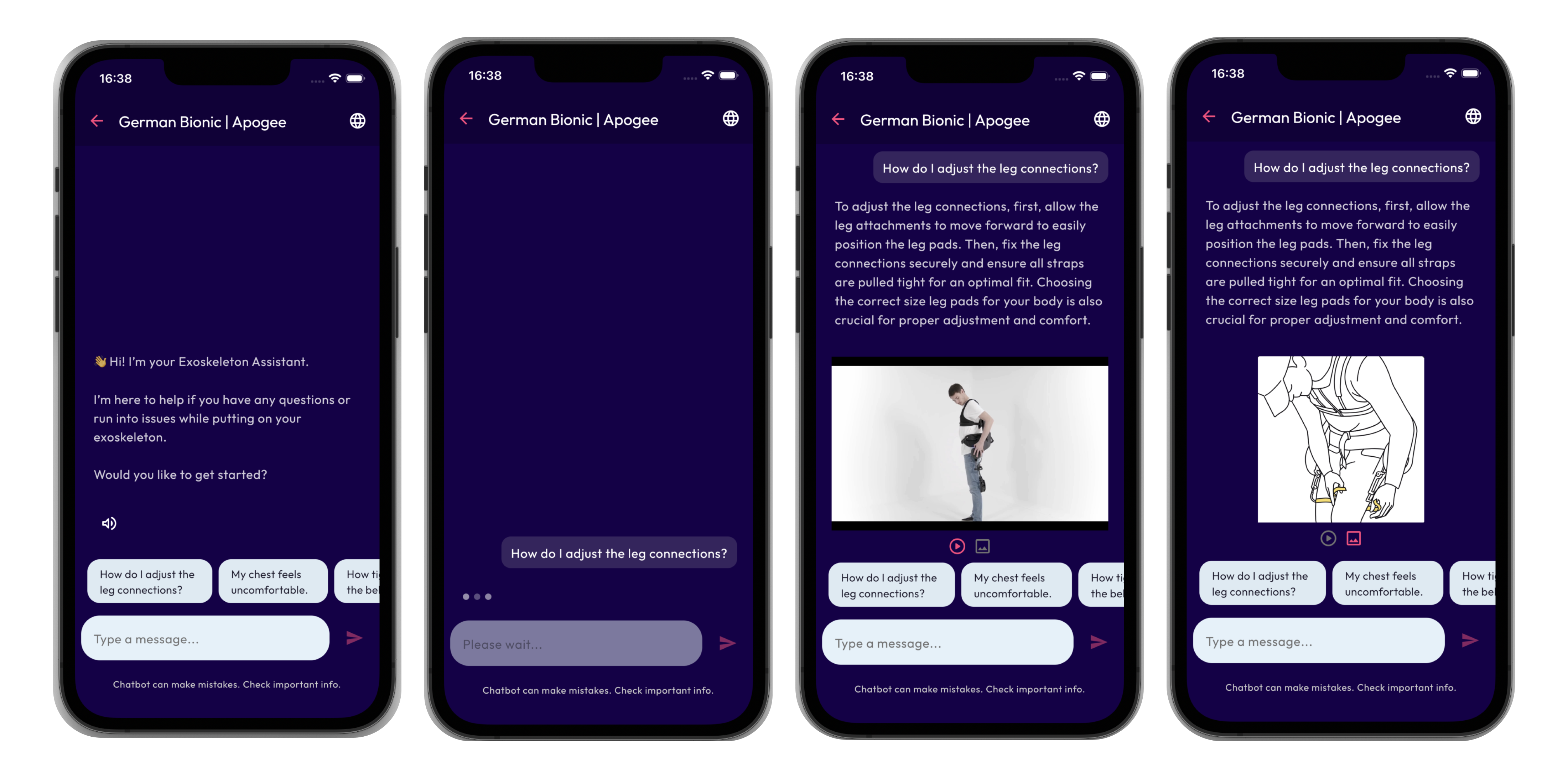
I worked on iterating the first version of the AI chatbot feature. The goal was to make the initial onboarding message instantly understandable so users knew exactly what the chatbot could do. I also designed how the chatbot presents media, allowing users to switch seamlessly between images and videos within the chat.
A closely related version of ExoAssist was tested with 34 participants as part of a Master's thesis study, providing empirical validation of the core design direction.
The design was later integrated into the MEXOT app as part of a broader redesign effort.