Master Thesis
Design & Evaluation of Digital Instructions for Exoskeleton Donning
Master Student, collaboration with Ivana Žemberi
Apr 2025 — Mar 2026
Academic Research, Universität Bremen & BIBA
Thesis presentation by Srujana Madam Sampangiramu & Ivana Žemberi
Exoskeleton adoption remains low despite the health benefits they offer. One overlooked reason is that donning — the process of putting on the device — is non-trivial for novice users. Components need to be attached in a specific sequence, many adjustments happen outside the user's visual field, and existing user manuals are largely inadequate for hands-on, first-time learning.
"How can digital instructions be designed to effectively support users in donning an exoskeleton?"
Instruction Format
What do users prefer — dynamic (video) or static (images)?
Principle-based Instructions
Does explaining the "why" lead to better performance than purely procedural ones?
Corrective Feedback
How can it support the process without disrupting user flow?
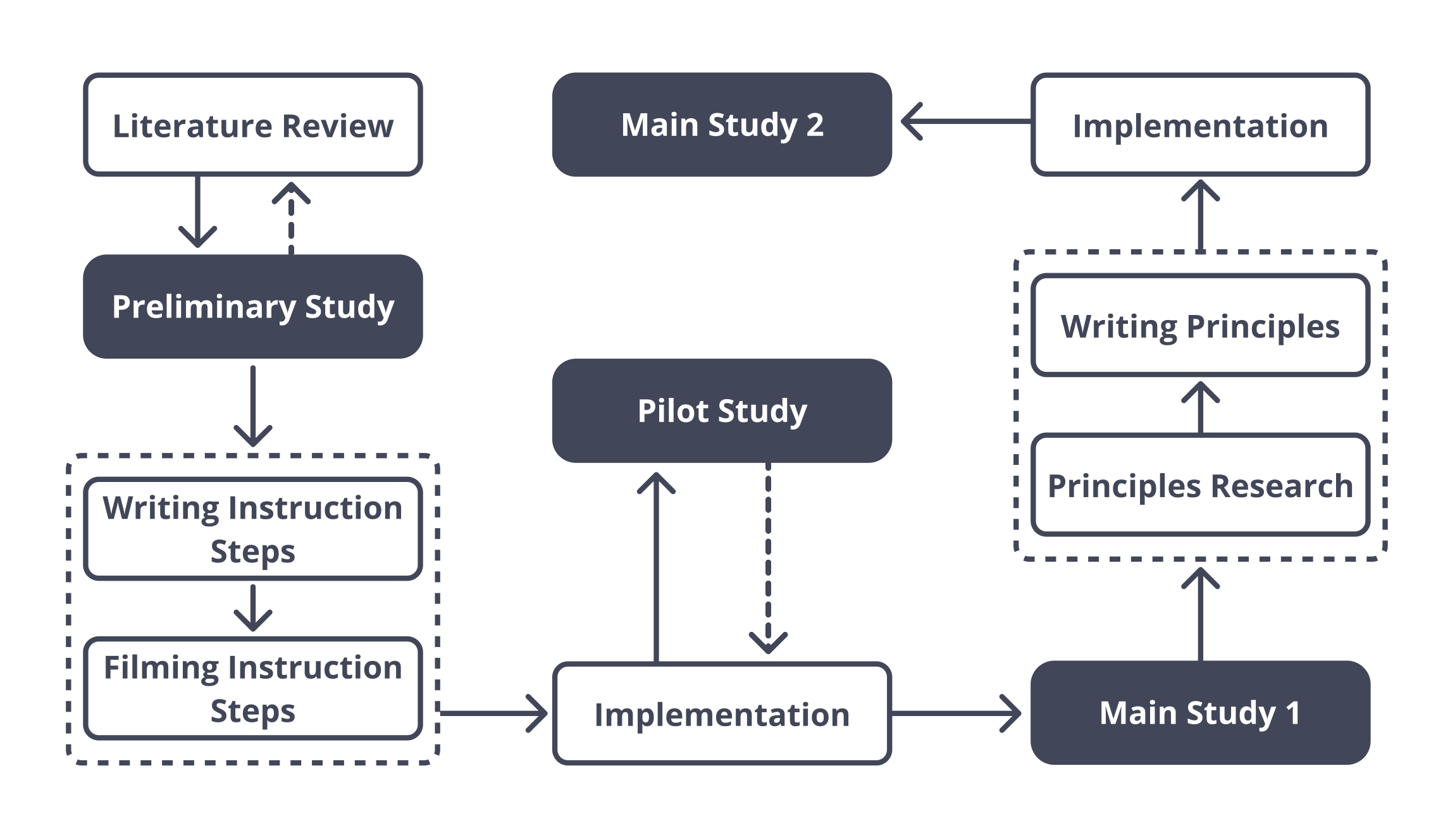
The research followed a Design Science Research (DSR) approach, iteratively developing both the digital artifact (the app) and the research findings concurrently.
Literature Review
Instructional design, GIFs vs. static images, corrective feedback, and principle-based learning.
Pre-study (N=3)
Guided donning sessions with think-aloud across BionicBack and Apogee to identify errors.
Pilot Study
Internal testing of the implementation before large-scale user studies.
Main Study 1 (N=20)
Dynamic vs. static instruction comparison using counterbalanced design.
Main Study 2 (N=10)
Procedural vs. principle-based instruction comparison.
Validation Instruments
ATI Scale, SEQ (Single Ease Question), NASA-TLX, SUS (System Usability Scale), and UEQ-S. All sessions were video-recorded for performance analysis.
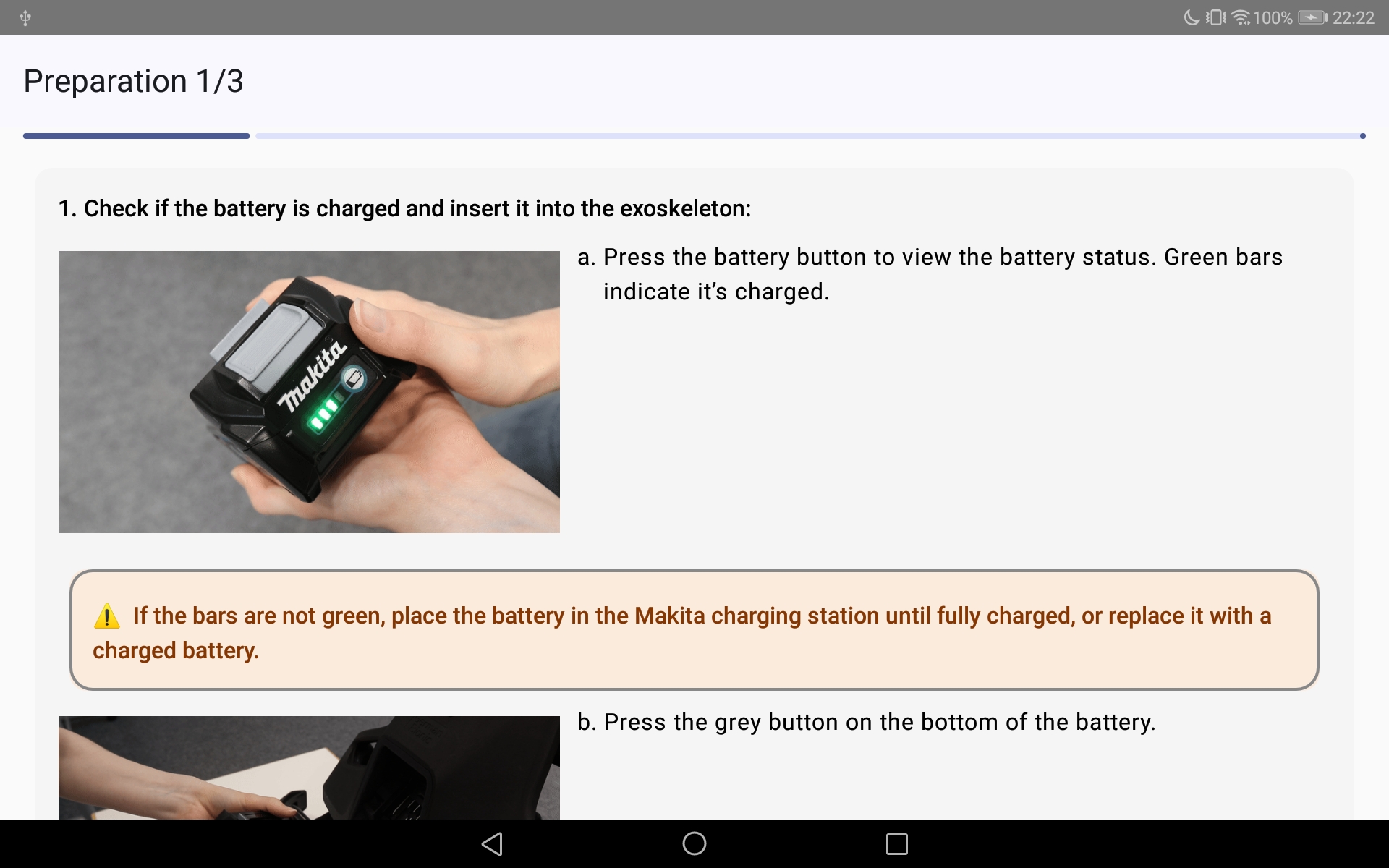
Preparation Phase with Warning Corrective Feedback
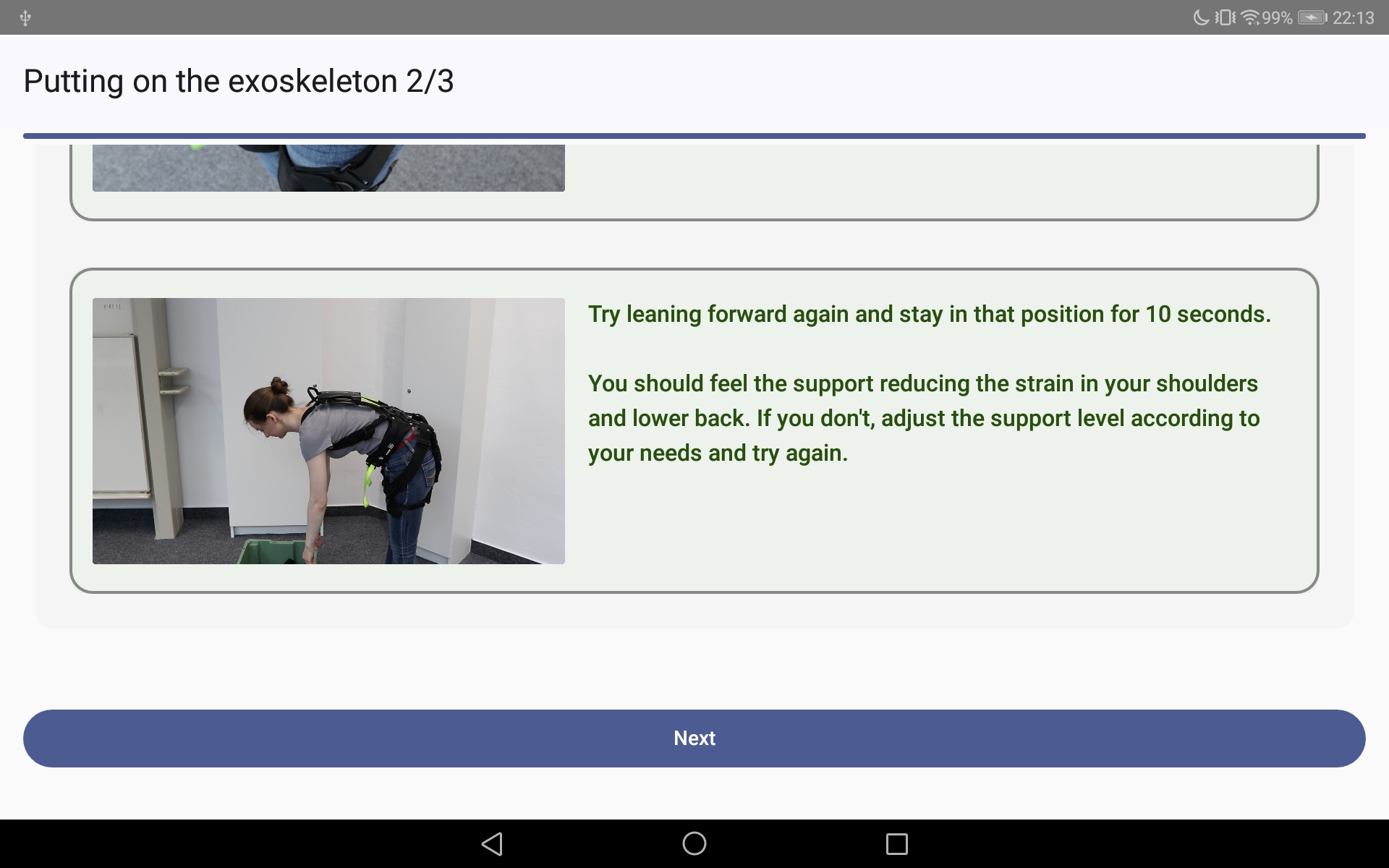
Donning and Navigation to Doffing
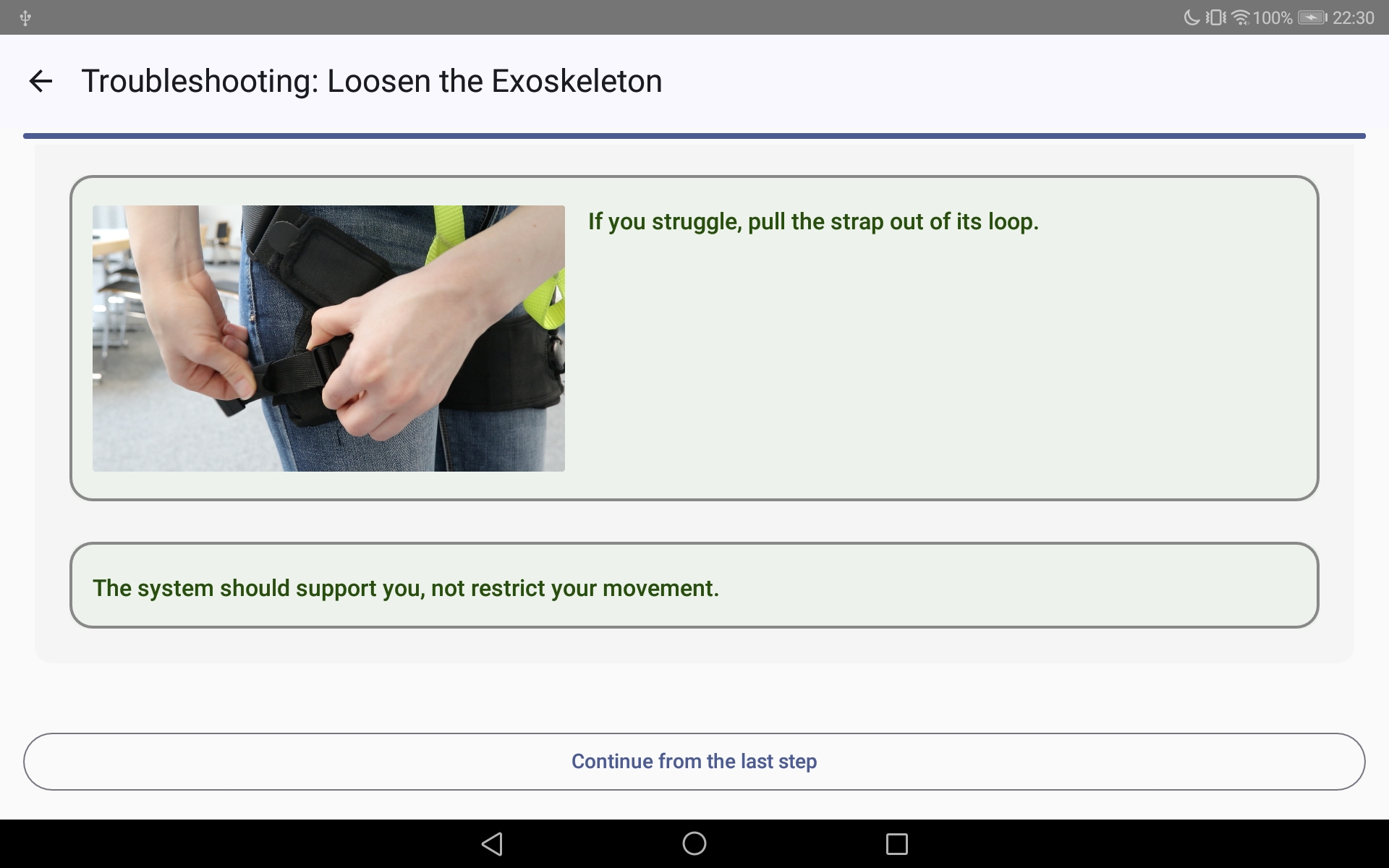
Integrated Troubleshooting & Corrective Feedback
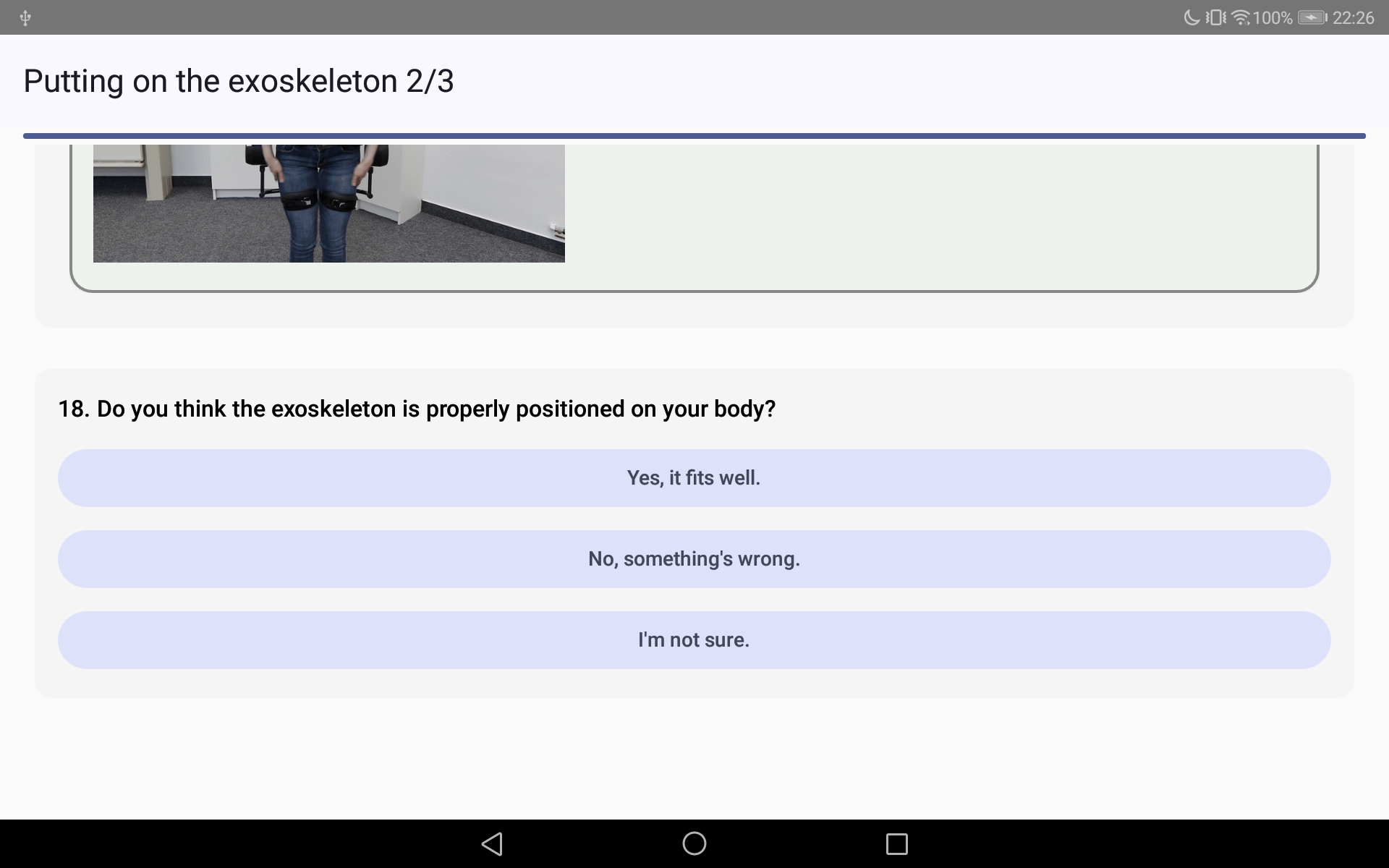
Fit Confirmation
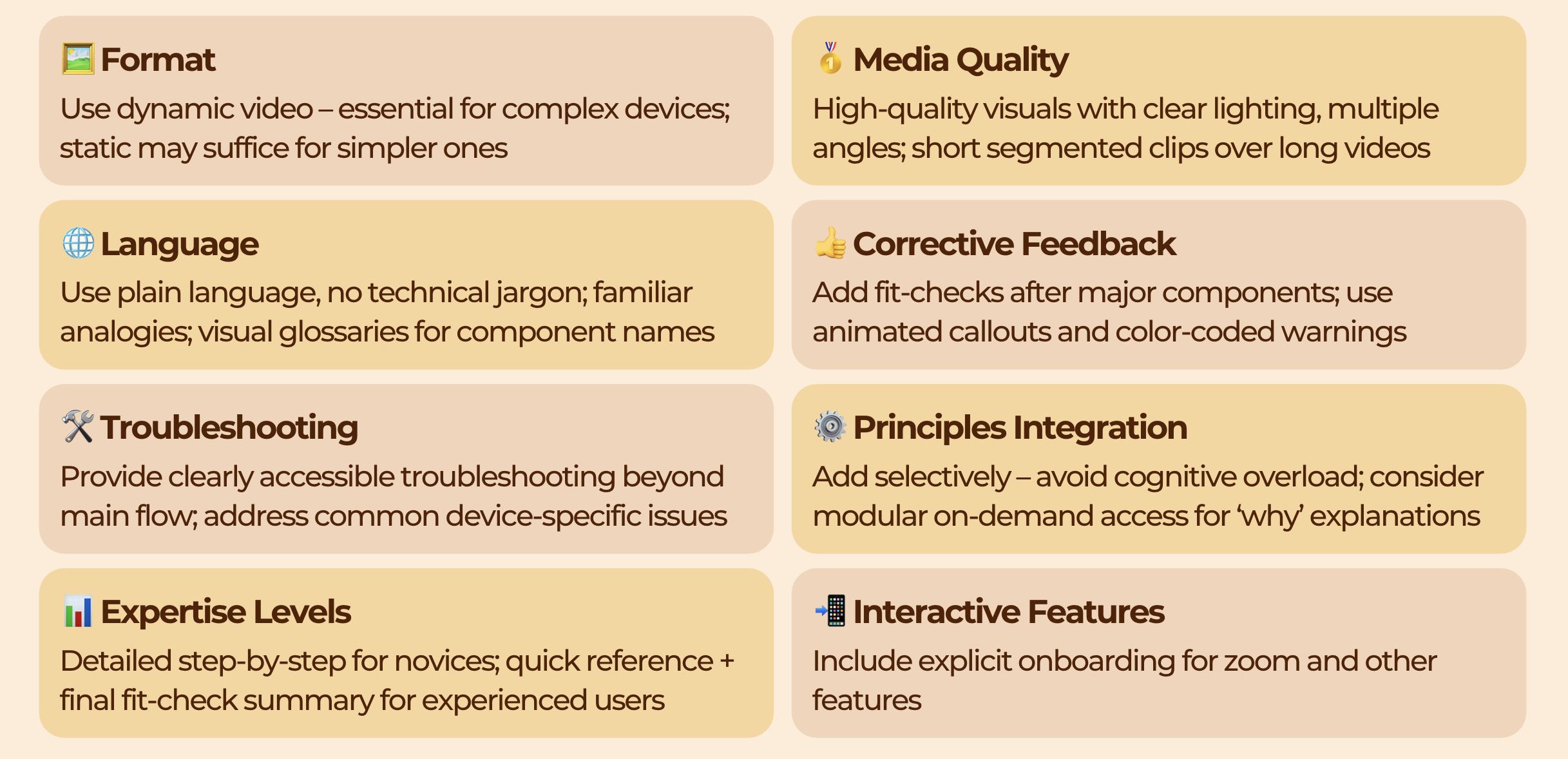
1. Dynamic Format Wins
Dynamic instructions outperformed static on ease of use (p=.025) and system usability (p=.046), especially for complex devices like the Apogee. Participants found it easier to understand movements and position components correctly.
2. Corrective Feedback flow
21 out of 30 participants reported that built-in fit-checks boosted confidence at critical points. Users self-corrected before problems escalated, ensuring a smoother donning experience.
3. Principle-based instructions
Adding the "why" didn't produce statistically significant performance differences in a single session, but participants valued the rationale. The benefits are likely realized in long-term retention beyond initial use.
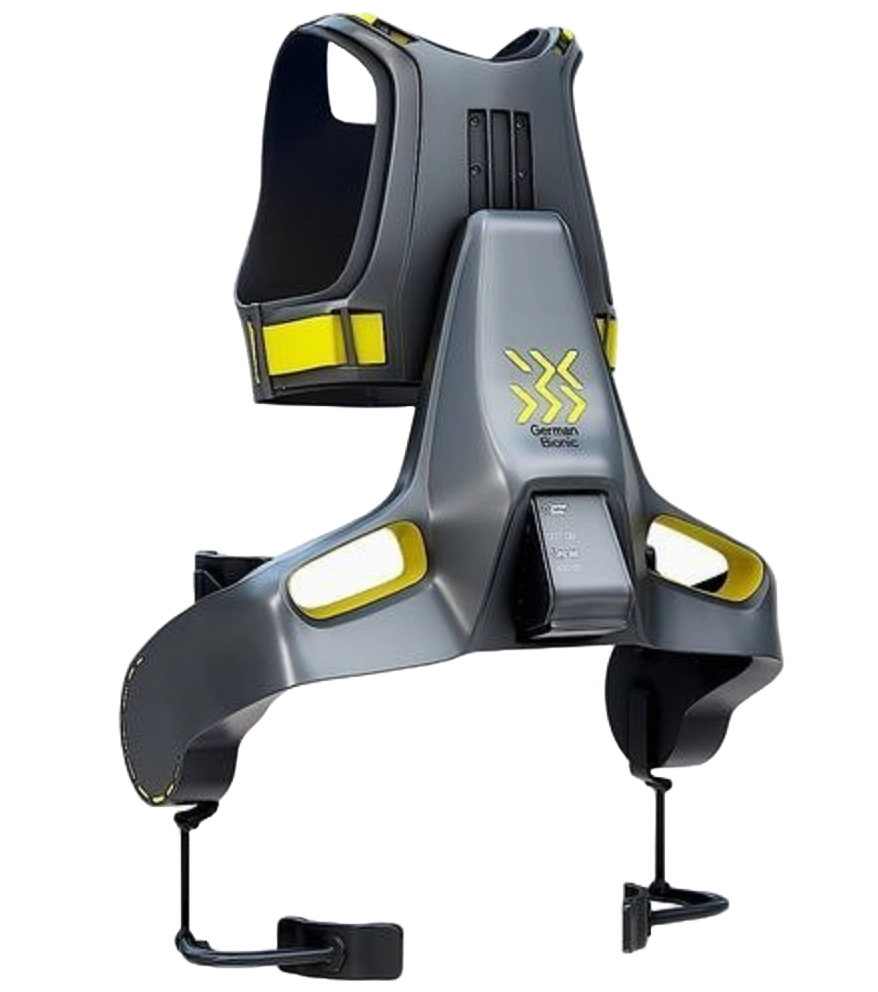
Apogee (Active)
Challenges translating anatomical landmarks into body positions and manipulating components outside the visual field while balancing.
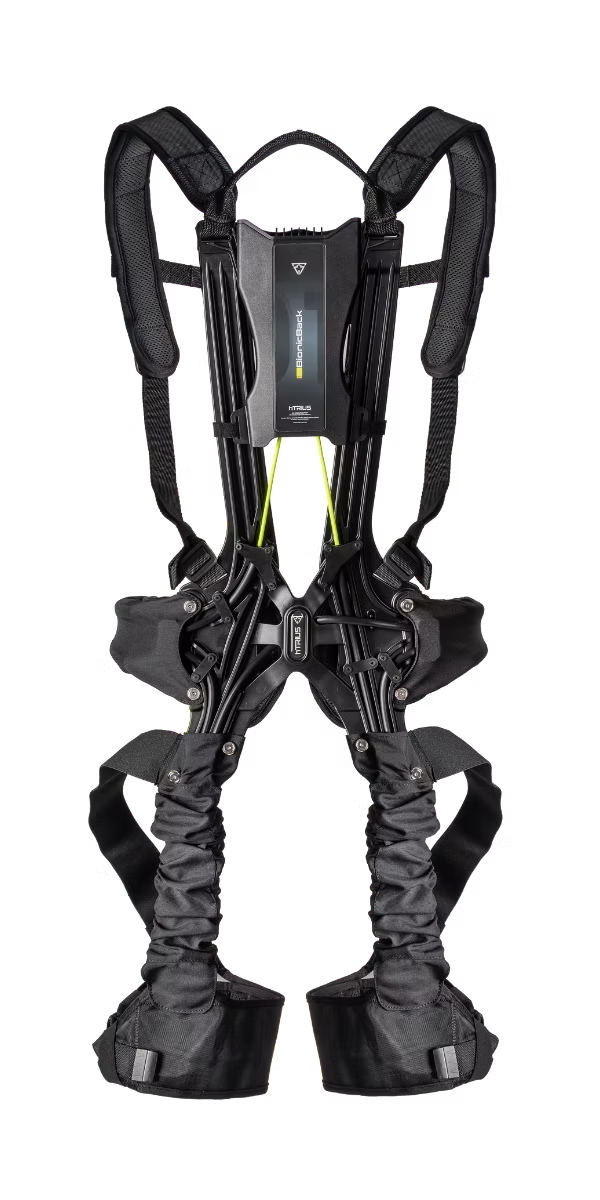
BionicBack (Passive)
A non-intuitive activation mechanism that nearly 50% of participants initially got wrong, coupled with out-of-field manipulation difficulties.